Turn one link into a bookable hotel storefront.
Section titled “Turn one link into a bookable hotel storefront.”One public i.trvl.as/your-name link becomes a mobile-first Travel Storefront — bookable hotel cards, offers and curated lists that go straight into Booking Engine. Free to use.
What is Link manager?
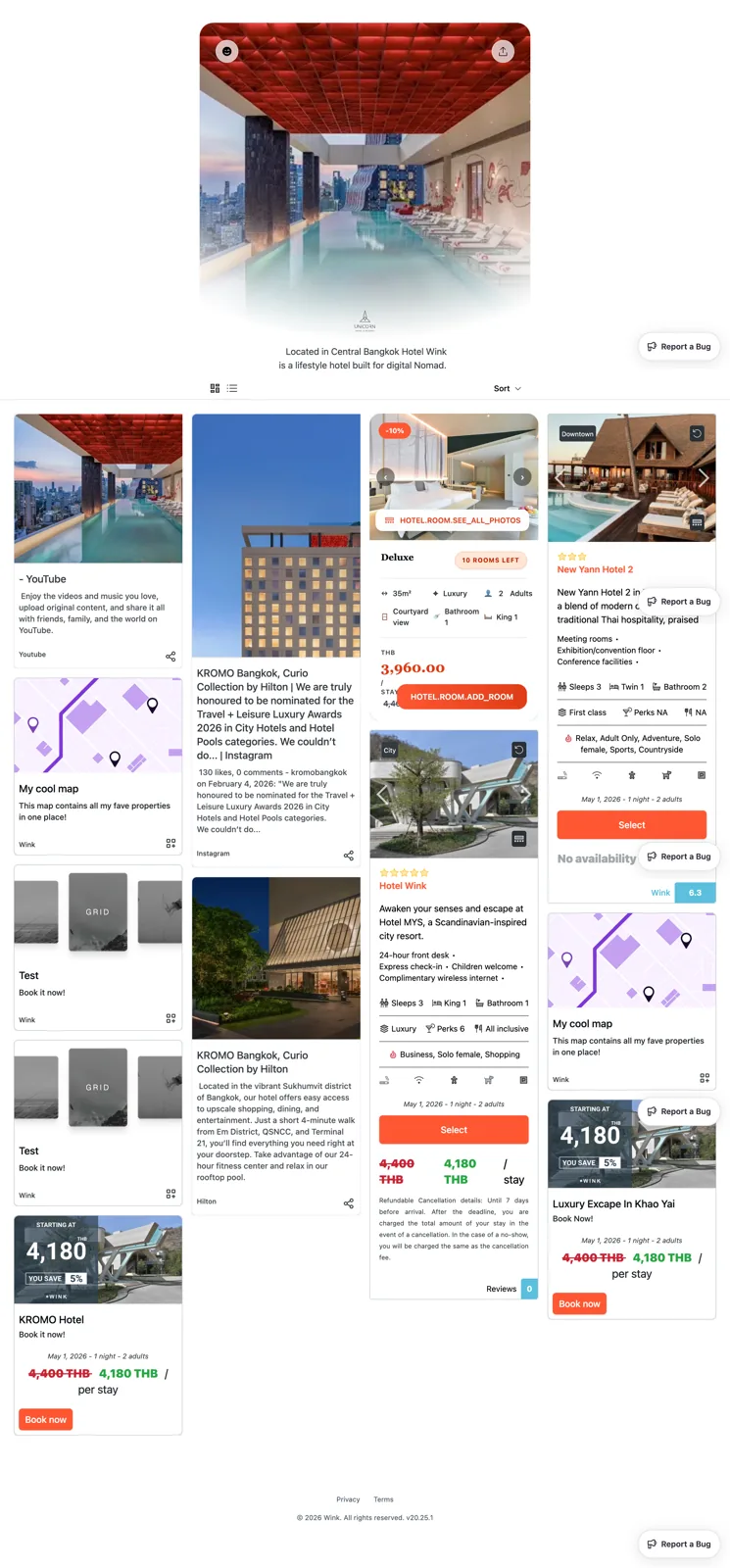
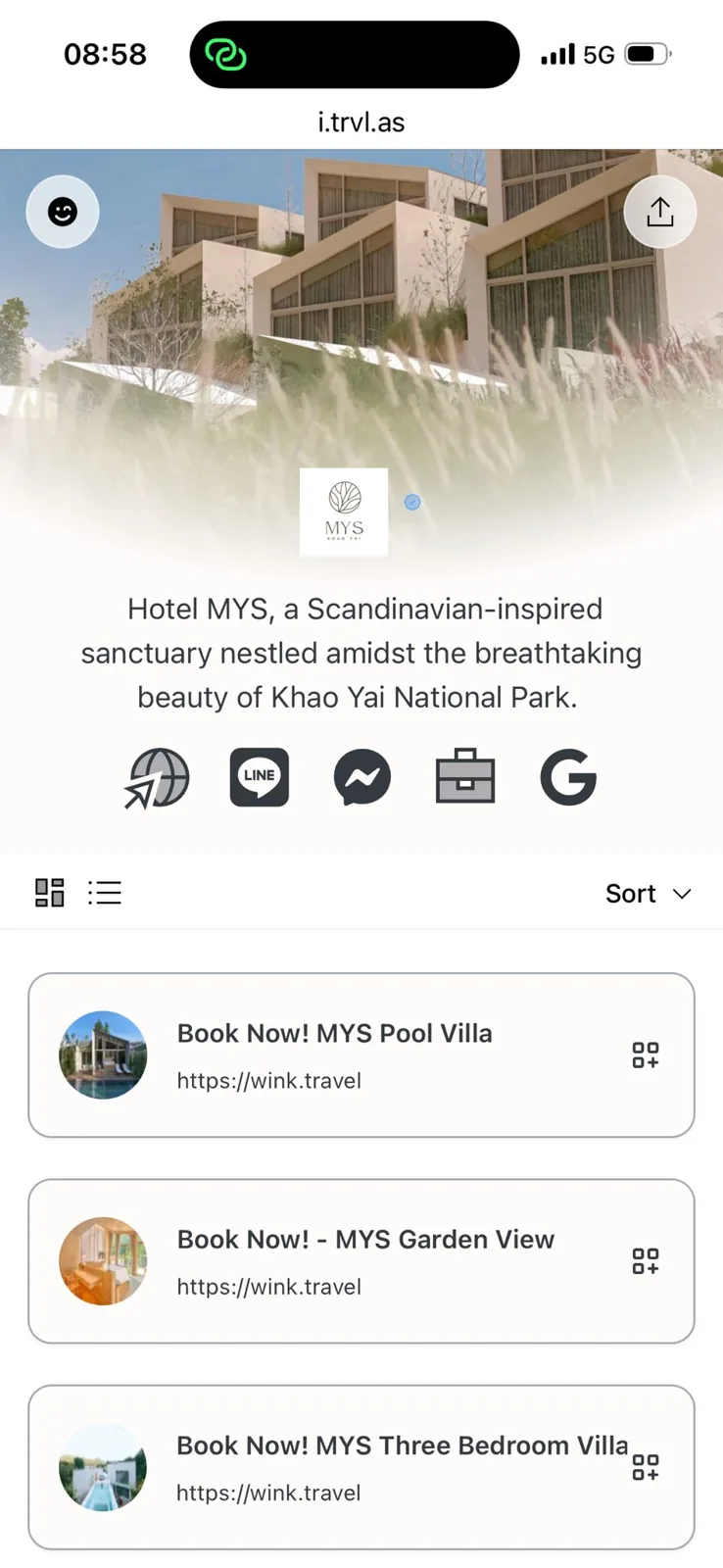
Link manager is a mobile-first Travel Storefront for bookable hotel content. Hotels and partners collect hotel offers, cards, lists, maps, grids, campaign links, QR traffic and recommendations under one public i.trvl.as/your-name link — and send guests into Booking Engine when they’re ready to book.
Why it matters
Make the single link do real work.
A bio, QR code, or campaign link often gets one chance to turn attention into action. Link manager turns that moment into a storefront.
Bio links are too shallow
A generic profile link sends travelers to disconnected pages, not bookable options.
Campaigns need a storefront
A QR, bio, or recommendation should show many hotel entries — not one static link.
Partners need a simple page
Present hotel recommendations without building a website or integration.
Bookable entries need checkout
When a guest is ready, the storefront moves straight into Booking Engine.
Layouts
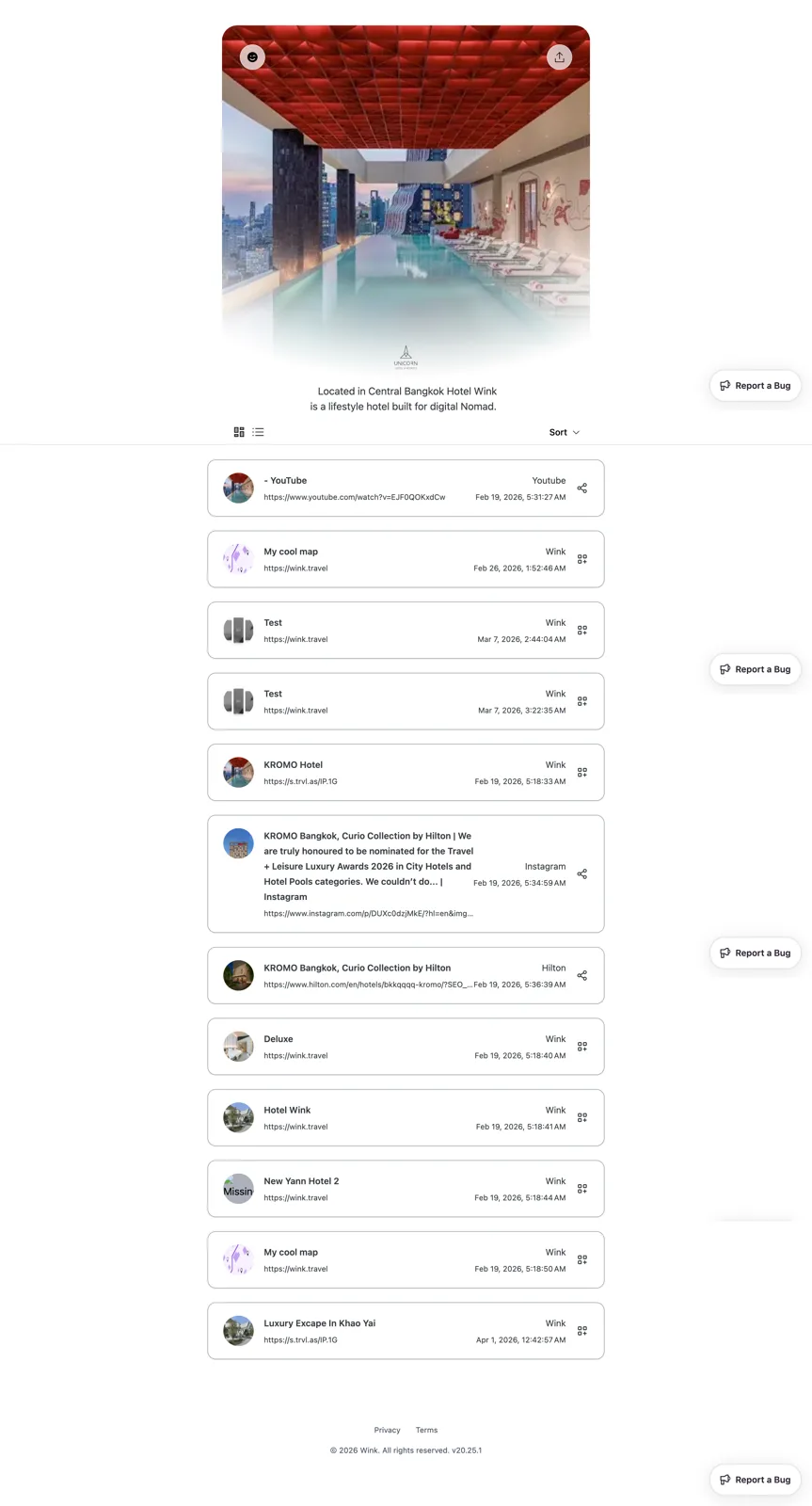
Card view or list view — your call.
Section titled “Card view or list view — your call.”Present bookable hotel content the way your audience scans it. Mobile-first, either way.
Card view
List view
Storefront content
Show more than a list of URLs.
Section titled “Show more than a list of URLs.”A storefront holds real, bookable content — not just links. Mix and match whatever fits the campaign.
One link. A whole bookable storefront.
Section titled “One link. A whole bookable storefront.”No website, no code — a mobile-first Travel Storefront where every card, offer and curated list routes straight into Booking Engine.
Free
$0 setup, $0 monthly
One link
i.trvl.as/your-name
Mobile-first
Built for how people book
Bookable
Straight into Booking Engine
From link to booking
Four steps from attention to a confirmed stay.
Section titled “Four steps from attention to a confirmed stay.”- 01
Build the storefront
Add bookable hotel cards, offers, lists, maps and links — Studio assets drop straight in.
- 02
Share one link or QR
Put i.trvl.as/your-name in a bio, campaign, email, or behind a QR code.
- 03
Guests browse, mobile-first
Travelers scan bookable cards and offers instead of disconnected pages.
- 04
Booking Engine fulfills
A tap moves into checkout — payment, confirmation and attribution preserved.
The difference
Looks like a link-in-bio. Works like a storefront.
Section titled “Looks like a link-in-bio. Works like a storefront.”Generic link-in-bio
Section titled “Generic link-in-bio”- A list of URLs
- Sends people away
- No live hotel inventory
- No checkout
- No attribution
Link manager
Section titled “Link manager”- Bookable hotel cards and offers
- Live inventory and rates
- Checkout via Booking Engine
- Attribution preserved
- Mobile-first Travel Storefront
Studio creates the assets. Link manager presents them. Booking Engine fulfills the booking.
Who it’s for
One storefront, every audience.
Section titled “One storefront, every audience.”Put one link in a social bio, QR code, email or in-property collateral — and show rooms, offers, dining, spa and experiences.
Explore for hotels For partnersBuild a destination page, event collection or campaign storefront from network hotels — with attribution preserved.
Join as a partner For developersUse Link manager when you need a public storefront now — and move to developer access when you need custom flows.
See documentationLink manager FAQs
Storefronts, content, and how it connects to bookings.
What is Link manager?
Is Link manager just a link-in-bio page?
What can a Link manager storefront hold?
How does Link manager connect to bookings?
Can partners use Link manager?
Can hotels use Link manager for QR codes?
Is Link manager the same as Studio?
Is Link manager free to use?
Ready to turn one link into a hotel storefront?
Section titled “Ready to turn one link into a hotel storefront?”Use Link manager when a bio link, campaign link, QR code, or partner recommendation needs to show bookable hotel content before checkout. Free to use.